




How to use AI to learn English focused on programming?
How to use AI to learn English focused on programming?
How to use AI to learn English focused on programming?
Written by: Luan Cavallaro, Founder & CMO, BeConfident
Key takeaways from this article
Brazilian programmers with A2+ English can usually read technical documentation, but get stuck in interviews and stand-ups due to a lack of real-time oral fluency.
Advanced ChatGPT prompts simulate real scenarios like debugging, code reviews, and pair programming to practice technical English in context.
A 30-minute daily routine with AI, combined with spaced repetition and speaking practice aloud, accelerates fluency in a few weeks compared to traditional methods.
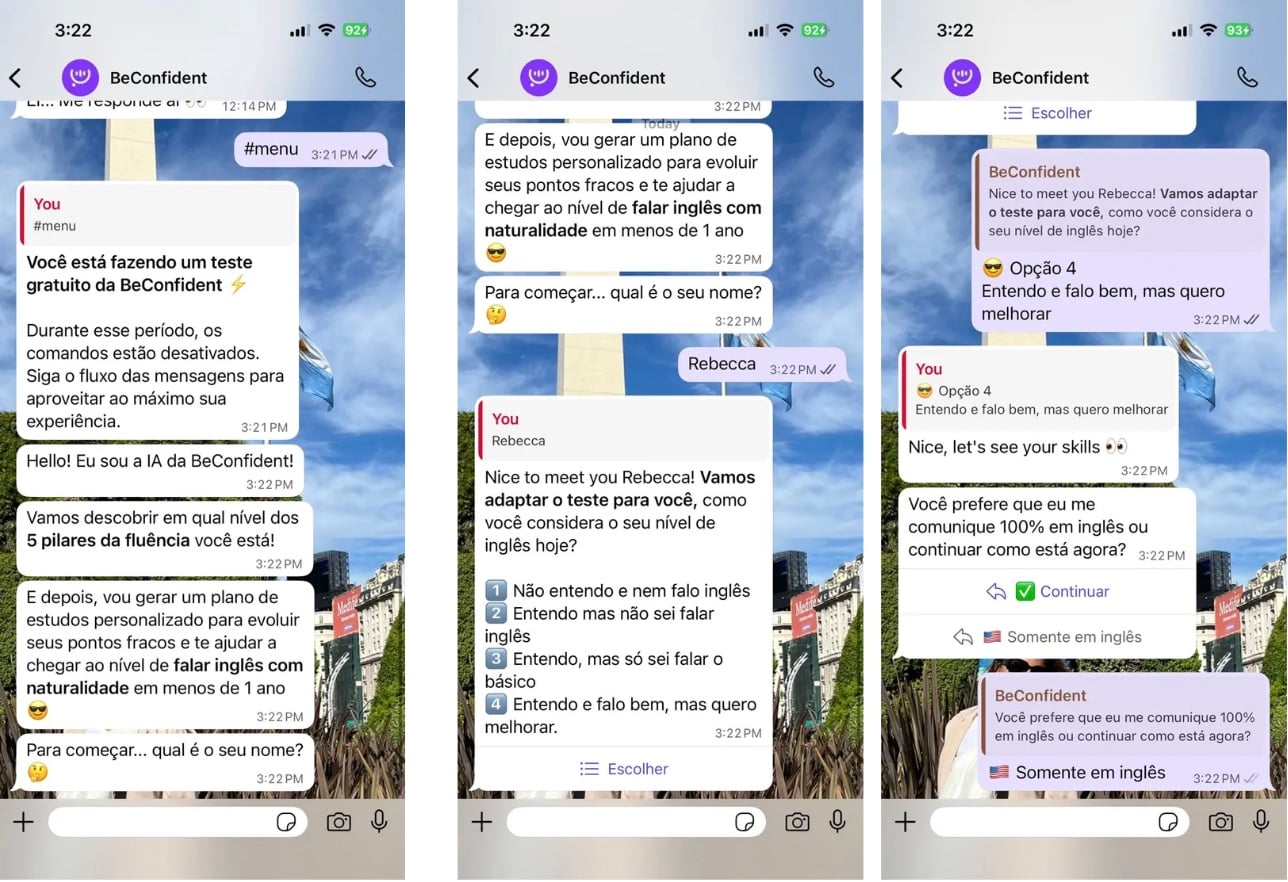
BeConfident offers 24/7 AI tutors specialized in programming with pronunciation feedback. Try the free test to assess your current level and receive a personalized plan.
Advanced prompts and tips for programmers
Using AI becomes more efficient when you practice situations that actually happen in day-to-day development. The prompts below simulate common conversations in a tech team and help train technical vocabulary, clarity, and confidence in English.
To make the most of your 30 daily minutes, choose one of these prompts per session and stay focused on a specific scenario. This makes it easier to repeat language structures and accelerates memorization.
Check out 5 advanced AI technical English prompts covering debugging, architecture, code explanation, technical writing, and collaboration.
🧠 "Debug Session": "Simulate a collaborative debugging session. I will explain the bug in English, and you ask technical questions like a senior colleague."
🧠 "Architecture Review": "Act as a tech lead. I will present a system architecture, and you question decisions and suggest improvements in technical English."
🧠 "Code Explanation": "Explain this algorithm as if it were a presentation for non-technical stakeholders. Correct my business English."
🧠 "Technical Writing": "Help me write technical documentation in natural English. Review my README and suggest clarity and vocabulary improvements."
🧠 "Pair Programming": "Let's do pair programming in English. You navigate, and I will drive. Communicate like an American developer on a remote team."
Your daily 30-minute routine with AI
A clear 30-minute daily routine transforms these prompts into consistent and measurable practice. Breaking it down into short blocks keeps you focused and makes continuity easier over the weeks.
Use the structure below as a template for each study day, adapting the difficulty level as you progress.
10 minutes of vocabulary warm-up: review technical terms you've already seen in stand-ups, pull requests, and documentation. Use flashcards or word lists related to the day's prompt theme, such as debugging, architecture, or documentation.
15 minutes of prompt simulation: choose one of the 5 advanced prompts and conduct a continuous conversation with the AI. Write or speak your answers in English, ask for vocabulary and pronunciation corrections, and repeat sentences you think would be useful for your work context.
5 minutes of review and logging: list 5 to 10 new expressions that came up in the simulation. Log these expressions in a spaced repetition system and write down examples of sentences you would actually use in meetings, interviews, or code reviews.
Throughout the week, alternate the prompts to cover different professional situations. For example, use "Debug Session" and "Pair Programming" on two days, "Architecture Review" on another, "Code Explanation" on one more, and "Technical Writing" to close the cycle.
This rotation ensures exposure to diverse technical vocabulary and trains communication with both software developers and non-technical people.
Advanced tips for learning programming-focused English
Anki integration: add the technical vocabulary you practice in the prompts to Anki. Use full sentences instead of isolated words. This approach favors reviewing at ideal intervals and strengthens long-term memory.
Practice out loud: read your prompt responses out loud, even when typing. Oral fluency depends on muscle coordination and auditory perception that silent reading does not develop. Whenever possible, record your speech and compare it with native models suggested by the AI.
Use of multimodal models: for complex visual concepts, use multimodal models like Gemini 3 to explain code diagrams. The practice of describing architectures, flows, and diagrams in English strengthens your communication in technical presentations and interviews.
FAQ
What is the best AI for learning English for programming?
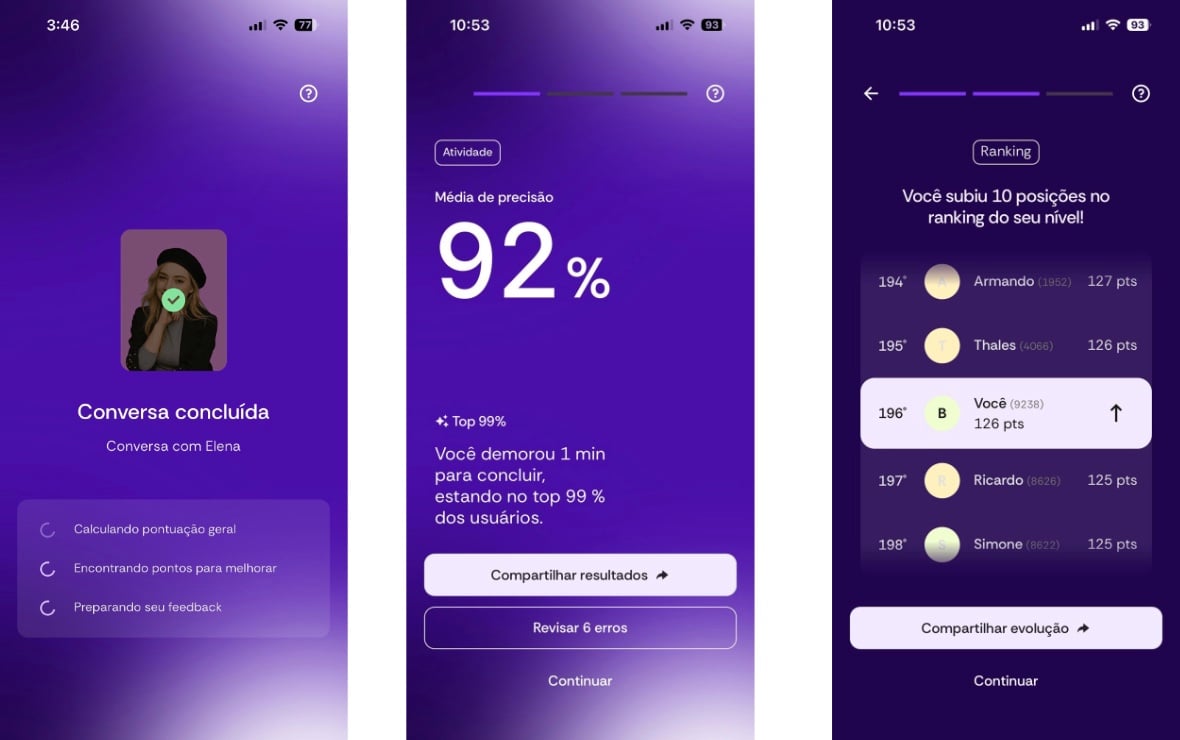
BeConfident stands out by offering specialized AI tutors in development, available 24 hours a day via app, WhatsApp, or smartwatch. Unlike ChatGPT, which focuses on text, the platform offers unlimited speaking practice with pronunciation feedback and technical tracks tailored to the programming context.
Is ChatGPT good for technical English?
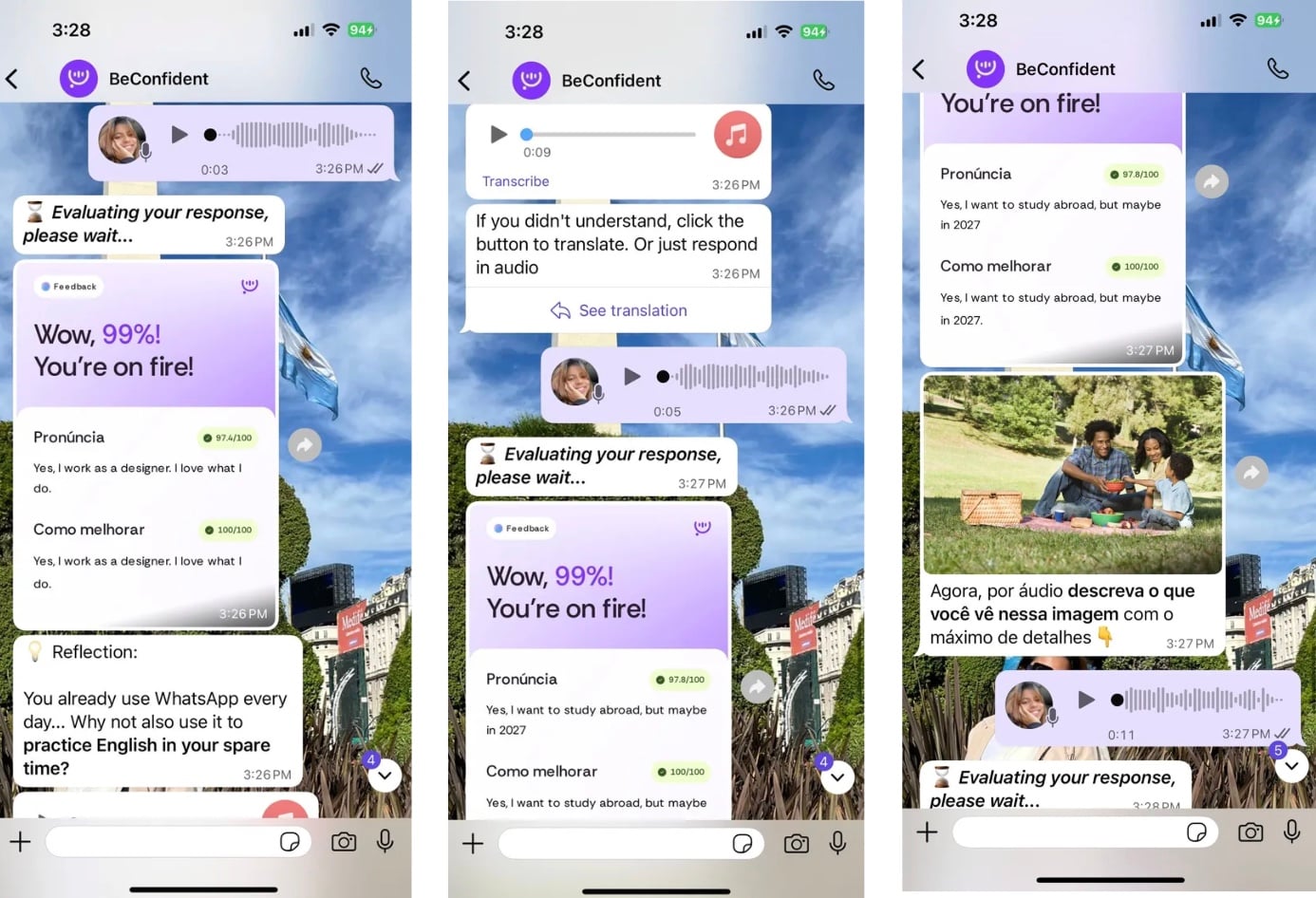
ChatGPT works very well for prompts and text simulations, especially for training technical vocabulary and writing. For oral practice with real-time pronunciation feedback, BeConfident, mentioned earlier, offers specific advantages like conversation with native accents and a gamified environment with goals and certificates.
How to learn technical English with free AI?
A good strategy is to start with a free level assessment on BeConfident to understand your starting point on the CEFR scale. Then, combine this view with free prompts on ChatGPT to expand vocabulary. To advance oral fluency, it is worth considering unlimited conversation, which on BeConfident usually costs less than traditional physical classes.
Does AI accelerate fluency in stand-ups?
Yes, using AI in daily simulations creates a judgment-free environment to practice situations that appear in stand-ups, dailies, and alignment meetings. Research indicates that programs that include AI can be up to 45% more effective because they allow you to repeat the same scenario until the vocabulary and confidence are consolidated.
Does BeConfident have specific tracks for programming?
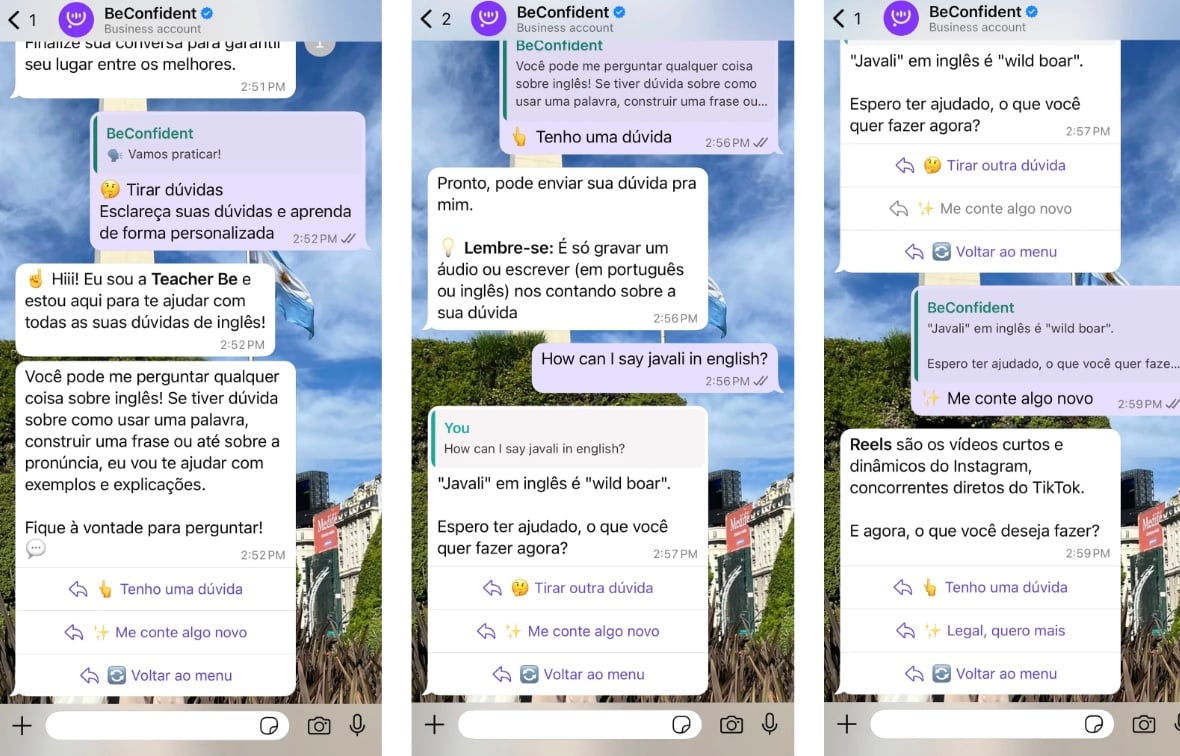
BeConfident offers structured and personalized lesson tracks based on your CEFR level, including professional and technical topics like programming. The AI tutors use specific profiles, such as software engineer or lawyer, to simulate real contexts like code reviews, technical interviews, and presentations to stakeholders, in continuity with what was described in the first FAQ answer.
Conclusion
Using strategic prompts, combined with a 30-minute daily routine and a conversation-focused tool like BeConfident, creates a clear path to mastering technical English in programming consistently. Daily practice reduces blockages in interviews, stand-ups, and meetings with international teams.
Start your first free conversation session and apply the prompts from this guide with real-time feedback, connecting your studies directly to the situations you face in your career.
Written by: Luan Cavallaro, Founder & CMO, BeConfident
Key takeaways from this article
Brazilian programmers with A2+ English can usually read technical documentation, but get stuck in interviews and stand-ups due to a lack of real-time oral fluency.
Advanced ChatGPT prompts simulate real scenarios like debugging, code reviews, and pair programming to practice technical English in context.
A 30-minute daily routine with AI, combined with spaced repetition and speaking practice aloud, accelerates fluency in a few weeks compared to traditional methods.
BeConfident offers 24/7 AI tutors specialized in programming with pronunciation feedback. Try the free test to assess your current level and receive a personalized plan.
Advanced prompts and tips for programmers
Using AI becomes more efficient when you practice situations that actually happen in day-to-day development. The prompts below simulate common conversations in a tech team and help train technical vocabulary, clarity, and confidence in English.
To make the most of your 30 daily minutes, choose one of these prompts per session and stay focused on a specific scenario. This makes it easier to repeat language structures and accelerates memorization.
Check out 5 advanced AI technical English prompts covering debugging, architecture, code explanation, technical writing, and collaboration.
🧠 "Debug Session": "Simulate a collaborative debugging session. I will explain the bug in English, and you ask technical questions like a senior colleague."
🧠 "Architecture Review": "Act as a tech lead. I will present a system architecture, and you question decisions and suggest improvements in technical English."
🧠 "Code Explanation": "Explain this algorithm as if it were a presentation for non-technical stakeholders. Correct my business English."
🧠 "Technical Writing": "Help me write technical documentation in natural English. Review my README and suggest clarity and vocabulary improvements."
🧠 "Pair Programming": "Let's do pair programming in English. You navigate, and I will drive. Communicate like an American developer on a remote team."
Your daily 30-minute routine with AI
A clear 30-minute daily routine transforms these prompts into consistent and measurable practice. Breaking it down into short blocks keeps you focused and makes continuity easier over the weeks.
Use the structure below as a template for each study day, adapting the difficulty level as you progress.
10 minutes of vocabulary warm-up: review technical terms you've already seen in stand-ups, pull requests, and documentation. Use flashcards or word lists related to the day's prompt theme, such as debugging, architecture, or documentation.
15 minutes of prompt simulation: choose one of the 5 advanced prompts and conduct a continuous conversation with the AI. Write or speak your answers in English, ask for vocabulary and pronunciation corrections, and repeat sentences you think would be useful for your work context.
5 minutes of review and logging: list 5 to 10 new expressions that came up in the simulation. Log these expressions in a spaced repetition system and write down examples of sentences you would actually use in meetings, interviews, or code reviews.
Throughout the week, alternate the prompts to cover different professional situations. For example, use "Debug Session" and "Pair Programming" on two days, "Architecture Review" on another, "Code Explanation" on one more, and "Technical Writing" to close the cycle.
This rotation ensures exposure to diverse technical vocabulary and trains communication with both software developers and non-technical people.
Advanced tips for learning programming-focused English
Anki integration: add the technical vocabulary you practice in the prompts to Anki. Use full sentences instead of isolated words. This approach favors reviewing at ideal intervals and strengthens long-term memory.
Practice out loud: read your prompt responses out loud, even when typing. Oral fluency depends on muscle coordination and auditory perception that silent reading does not develop. Whenever possible, record your speech and compare it with native models suggested by the AI.
Use of multimodal models: for complex visual concepts, use multimodal models like Gemini 3 to explain code diagrams. The practice of describing architectures, flows, and diagrams in English strengthens your communication in technical presentations and interviews.
FAQ
What is the best AI for learning English for programming?
BeConfident stands out by offering specialized AI tutors in development, available 24 hours a day via app, WhatsApp, or smartwatch. Unlike ChatGPT, which focuses on text, the platform offers unlimited speaking practice with pronunciation feedback and technical tracks tailored to the programming context.
Is ChatGPT good for technical English?
ChatGPT works very well for prompts and text simulations, especially for training technical vocabulary and writing. For oral practice with real-time pronunciation feedback, BeConfident, mentioned earlier, offers specific advantages like conversation with native accents and a gamified environment with goals and certificates.
How to learn technical English with free AI?
A good strategy is to start with a free level assessment on BeConfident to understand your starting point on the CEFR scale. Then, combine this view with free prompts on ChatGPT to expand vocabulary. To advance oral fluency, it is worth considering unlimited conversation, which on BeConfident usually costs less than traditional physical classes.
Does AI accelerate fluency in stand-ups?
Yes, using AI in daily simulations creates a judgment-free environment to practice situations that appear in stand-ups, dailies, and alignment meetings. Research indicates that programs that include AI can be up to 45% more effective because they allow you to repeat the same scenario until the vocabulary and confidence are consolidated.
Does BeConfident have specific tracks for programming?
BeConfident offers structured and personalized lesson tracks based on your CEFR level, including professional and technical topics like programming. The AI tutors use specific profiles, such as software engineer or lawyer, to simulate real contexts like code reviews, technical interviews, and presentations to stakeholders, in continuity with what was described in the first FAQ answer.
Conclusion
Using strategic prompts, combined with a 30-minute daily routine and a conversation-focused tool like BeConfident, creates a clear path to mastering technical English in programming consistently. Daily practice reduces blockages in interviews, stand-ups, and meetings with international teams.
Start your first free conversation session and apply the prompts from this guide with real-time feedback, connecting your studies directly to the situations you face in your career.